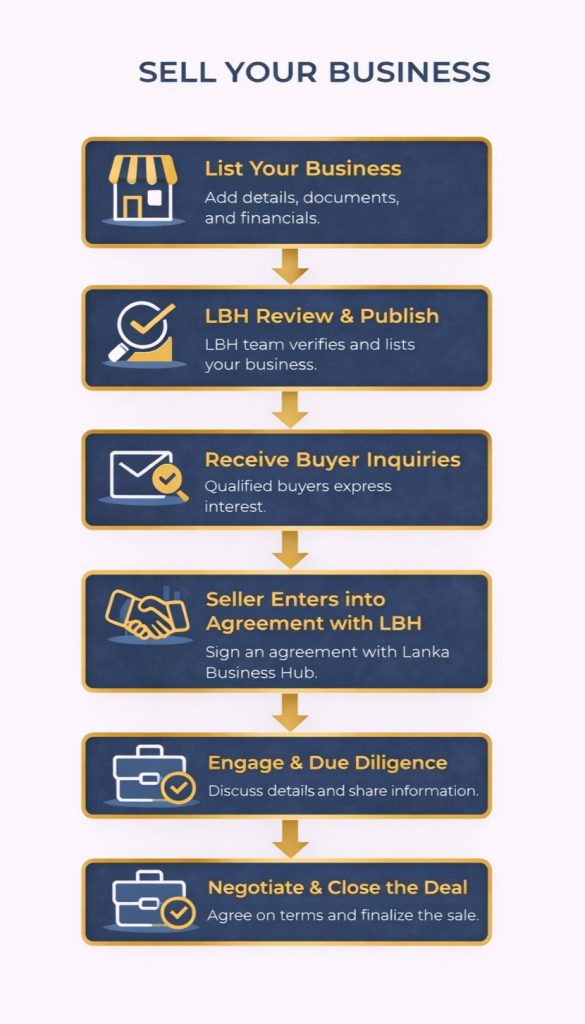
Here’s a clear, step-by-step tutorial on “How to Sell a Business on LankaBusinessHub (LBH)”:
How to List a Business for Sale on LankaBusinessHub
Prerequisite:
A “verified LBH member account”. If you don’t have one, please follow the steps below.
Step 1:
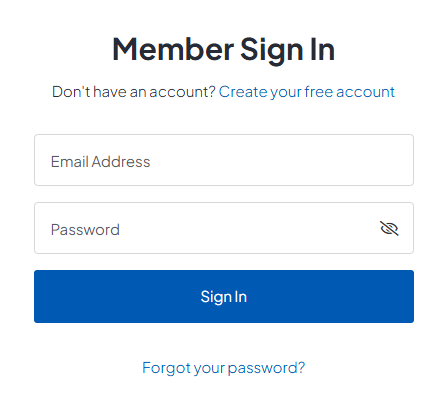
Create (Join) or Sign In to Your Member Account
Visit www.lankabusinesshub.com/sign-in/
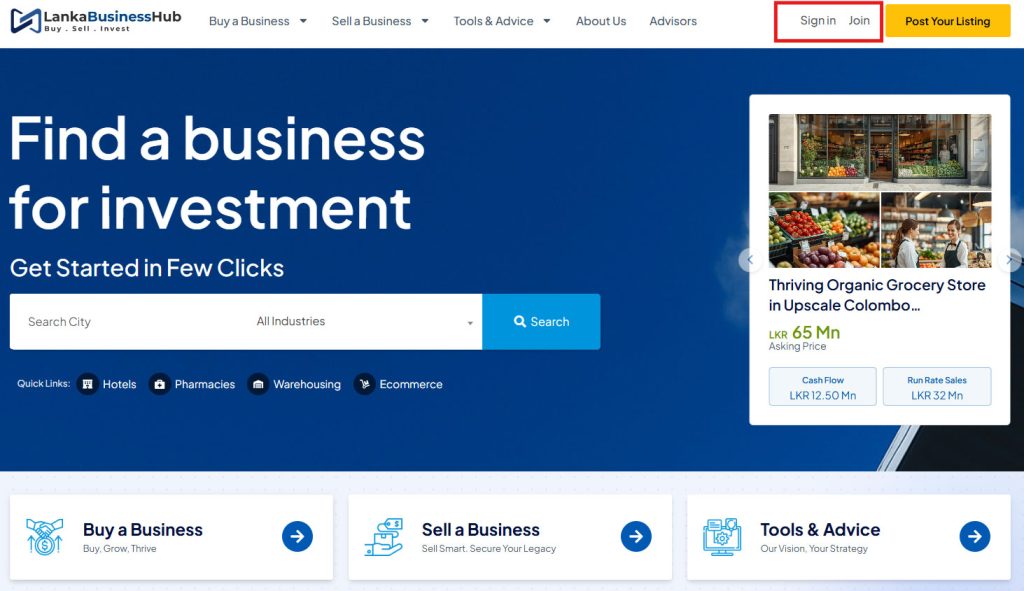
- New Members: Click the “Join” (top-right) link or “Create your free account” in the sign-in screen. Alternatively, when you click on the yellow color “Post Your Ad” button, the sign-in screen will appear.
- Existing Members: Click the “Sign In” (top-right corner) link.
- Registration Process:
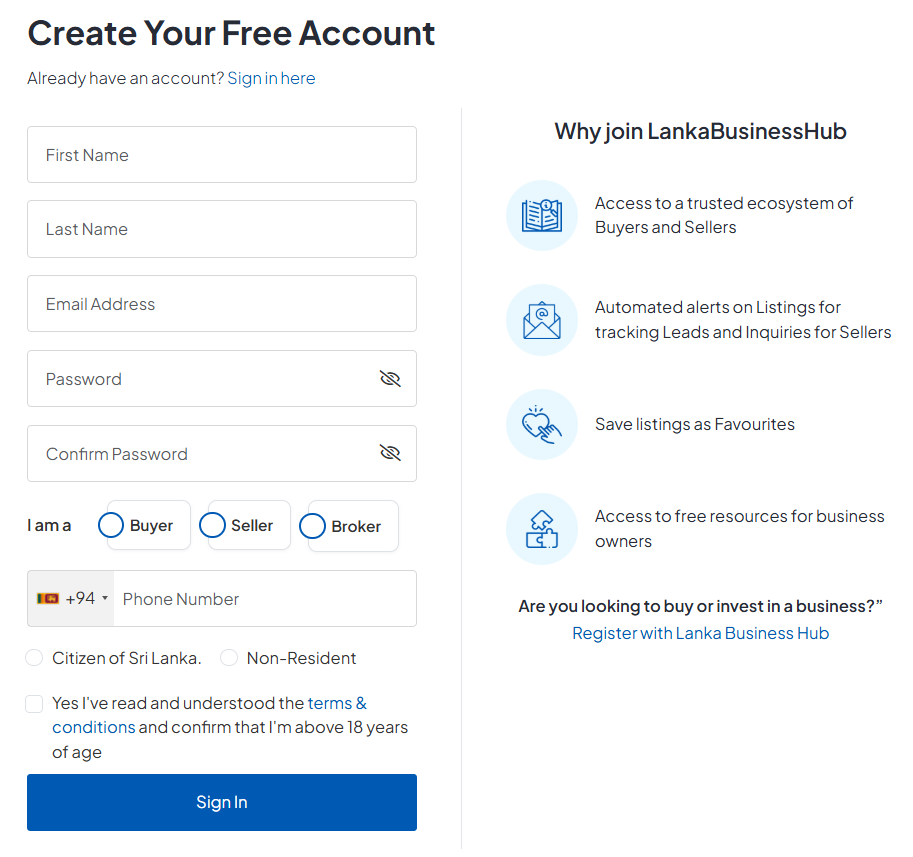
- Fill in: First Name, Last Name, Email Address, Password, and Phone Number.
- Select Role: Check “Seller” (or multiple roles if applicable).
- Select either “Citizen of Sri Lanka” or “Non-Resident” as applicable
- Agree to Terms & Conditions and that you are above the age of 18 years..
- Click “Sign In”.
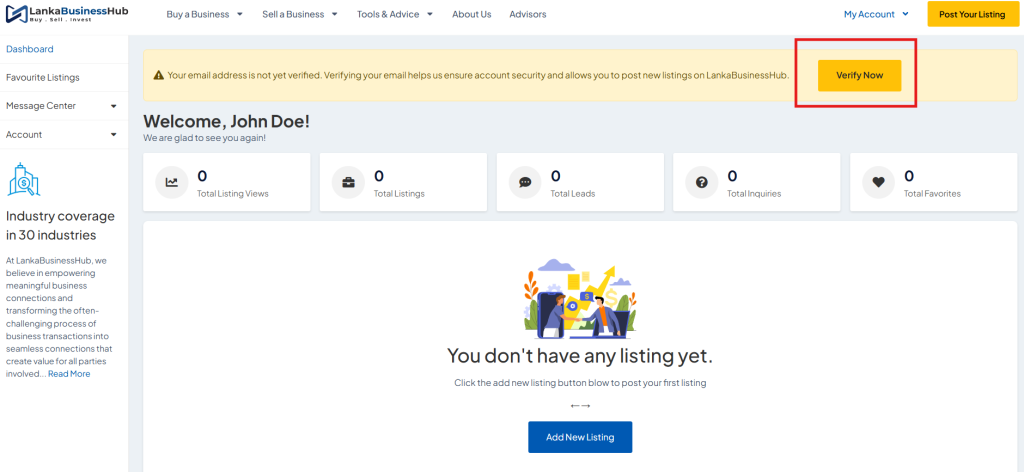
- Verify Your Email address: Check your email inbox for a confirmation email with a verification number. Verify your account.
Step 2:
Start Creating Your Listing
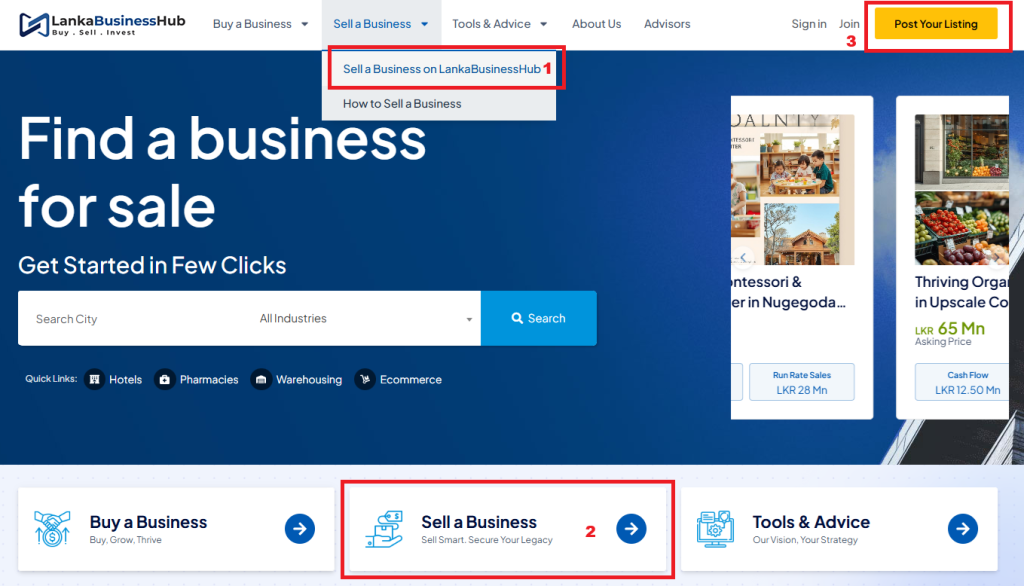
After signing in, choose ONE of the following methods:
- Click “Sell a Business” in the top menu → Select “Sell a Business on LankaBusinessHub”.
- Click the “Sell a Business” button below the homepage header image section.
- Click the yellow colour “Post Your Ad” button (top-right).
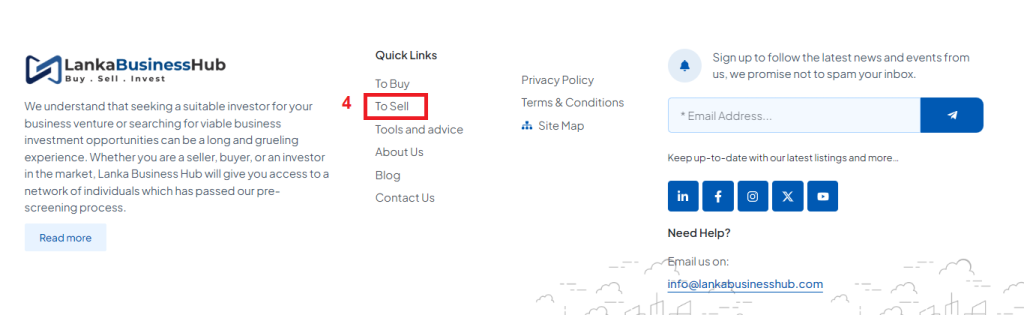
- Scroll to the footer area and click “To Sell” under the “Quick Links” section.
Step 3:
Complete the 5-Section Listing Form
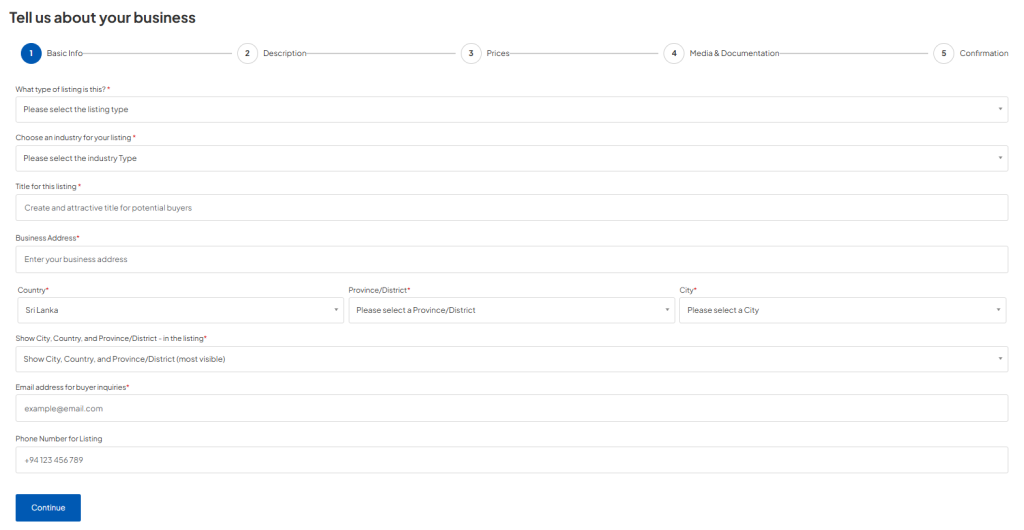
Section 1: Basic Information
- Listing Type: Select “Business for Sale”.
- Industry: Choose your business sector (e.g., Retail, Real Estate, Manufacturing).
- Title for the listing: Enter a clear title (e.g., “BOI – registered apparel exporter”).
- Business Address: Enter your business address Note: “Business Address” will not be displayed on the listing.
- Location: Fill in Country, Province, and City.
- Show City, Country, and Province in the listing: Select your preferred option
- Contact Email/Phone: Ensure accuracy for buyer inquiries. Note: This information will not be displayed on the listing.
- Click on “Continue” button
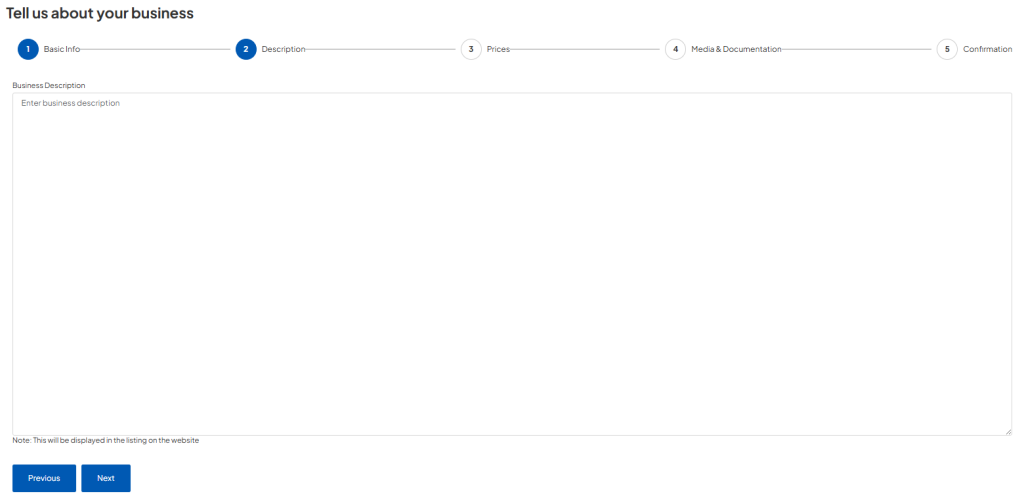
Section 2: Business Description:
Give a detailed description of your Business highlighting any USP and growth potential.
Note: This information will be publicly displayed on your listing.
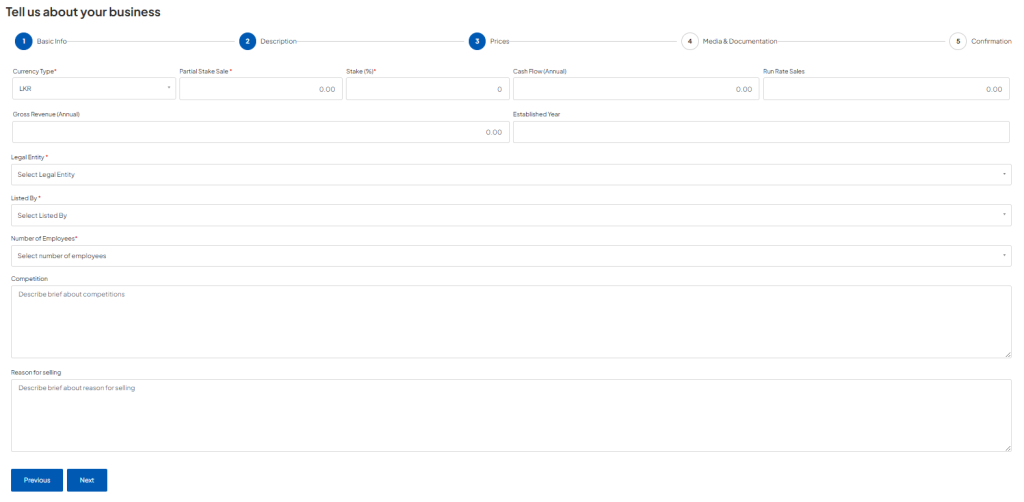
Section 3: Price & Financials
- Currency Type: Select LKR or USD
- Listing Type:
- Full Sale of a Business / Asset Sale (Refer to image 1)
- Asking Price: Enter the sale price (e.g., LKR/USD 100 Mn).
- Partial Sale of a Business (Refer to image 2)
- Partial Stake Sale Amount (e.g., LKR/USD 50 Mn)
- Stake %: Enter the stake percentage (e.g., 50% stake)
- Full Sale of a Business / Asset Sale (Refer to image 1)
- Financial Details
- Cash Flow: Enter the full-year cash flow generated from operations in the last financial year
- Run Rate Sales: Enter the current month-to-date sales turnover (e.g., the latest 5 months’ sales turnover)
- Gross Revenue: Enter the annual sales turnover in the last financial year
- Established Year: (e.g., 1998)
- Legal Entity: Select the appropriate Business Format.
- Listed by: (e.g., Director. If “Other”, please specify)
- Number of Employees: (e.g.,1-50)
- Competition: A brief description about your competition and how your business stands out from the rest
- Reason for Selling: Explain briefly (e.g., Retirement, Relocation, or other).
Image 1
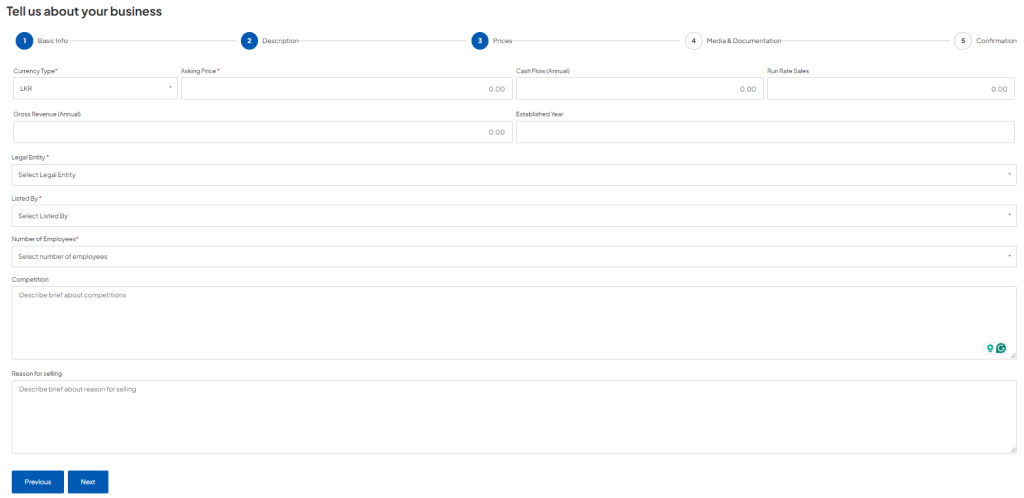
Image 2
Section 4: Media & Documentation
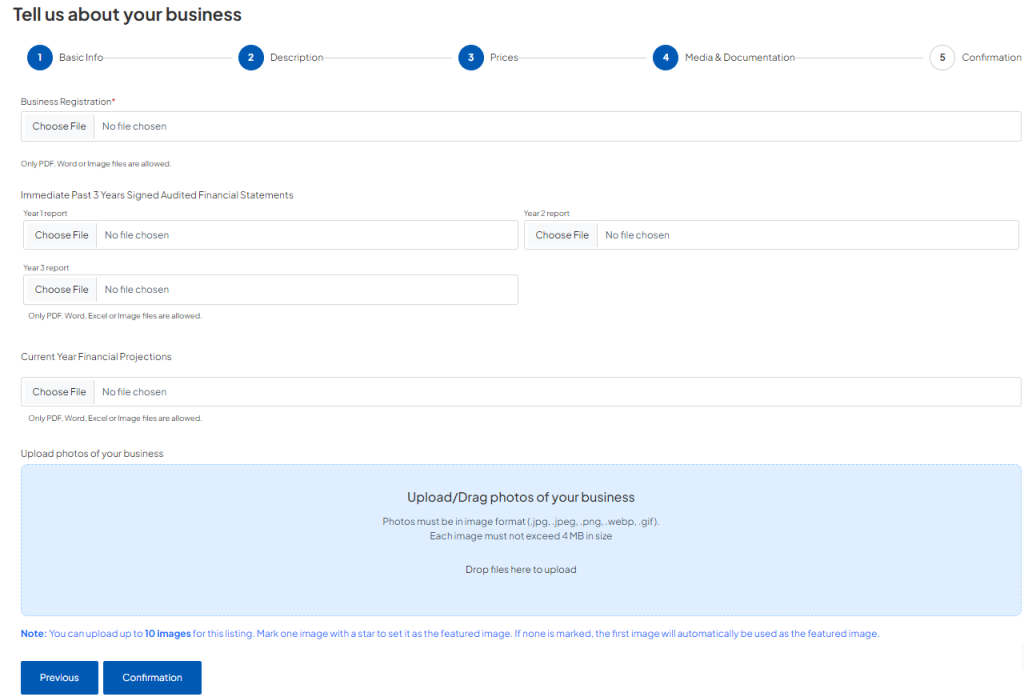
Documents to attach (Only PDF, Word, or Image files are allowed):
- Business Registration (BR) documents.
- Audit reports or financial statements.(Attach the Immediate Past 3 Years Signed Audited Financial Statements)
- Current Year Financial Projections. (Attach a current year forecast of your business)
- Photos: Upload up to 10 images of your business (formats: JPG/PNG – Less than 1Mb file size per image is preferred).
Note: Mark the image with a star to set it as the featured image for this listing. If none is marked, the first image will be used as the featured image.
Tip: Documents boost buyer confidence.
Section 5: Confirmation
After clicking on “Confirmation,” the “Preview” will be shown
If you need to change any of the details of your listing, click on the “Previous” button and go back to the relevant section and edit accordingly.
Click on “Submit” after confirming the accuracy of your listing
Step 4:
Post-Submission
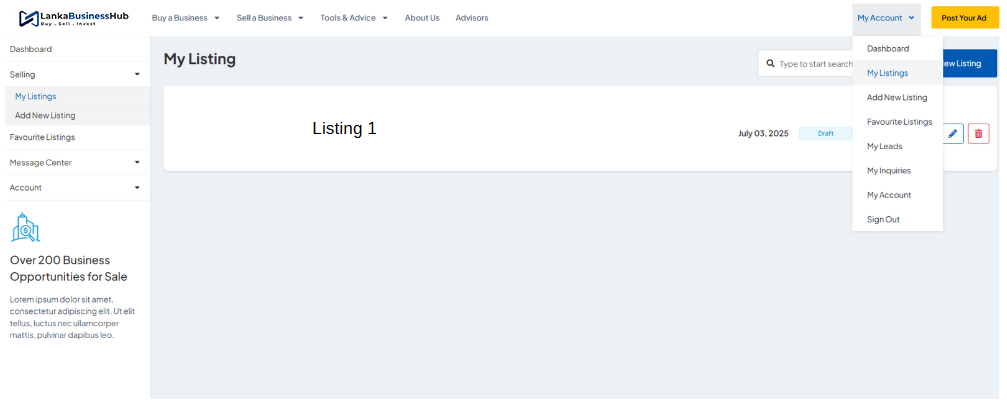
- Your listing will appear under “My Listings” in your account dashboard.
- LBH will review your listing before publishing.
- Edit or track status via Dashboard → My Listings.
Key Tips
- Photos Matter: Listings with images attract 5x more buyers.
- Be Transparent: Disclose financials clearly to avoid delays.
- For support, contact LBH:
- Phone: (+94) 777 710 799 / (+94) 777 797 123
- Email: info@lankabusinesshub.com
- Next Steps: Monitor your dashboard for buyer inquiries and LBH’s approval notification
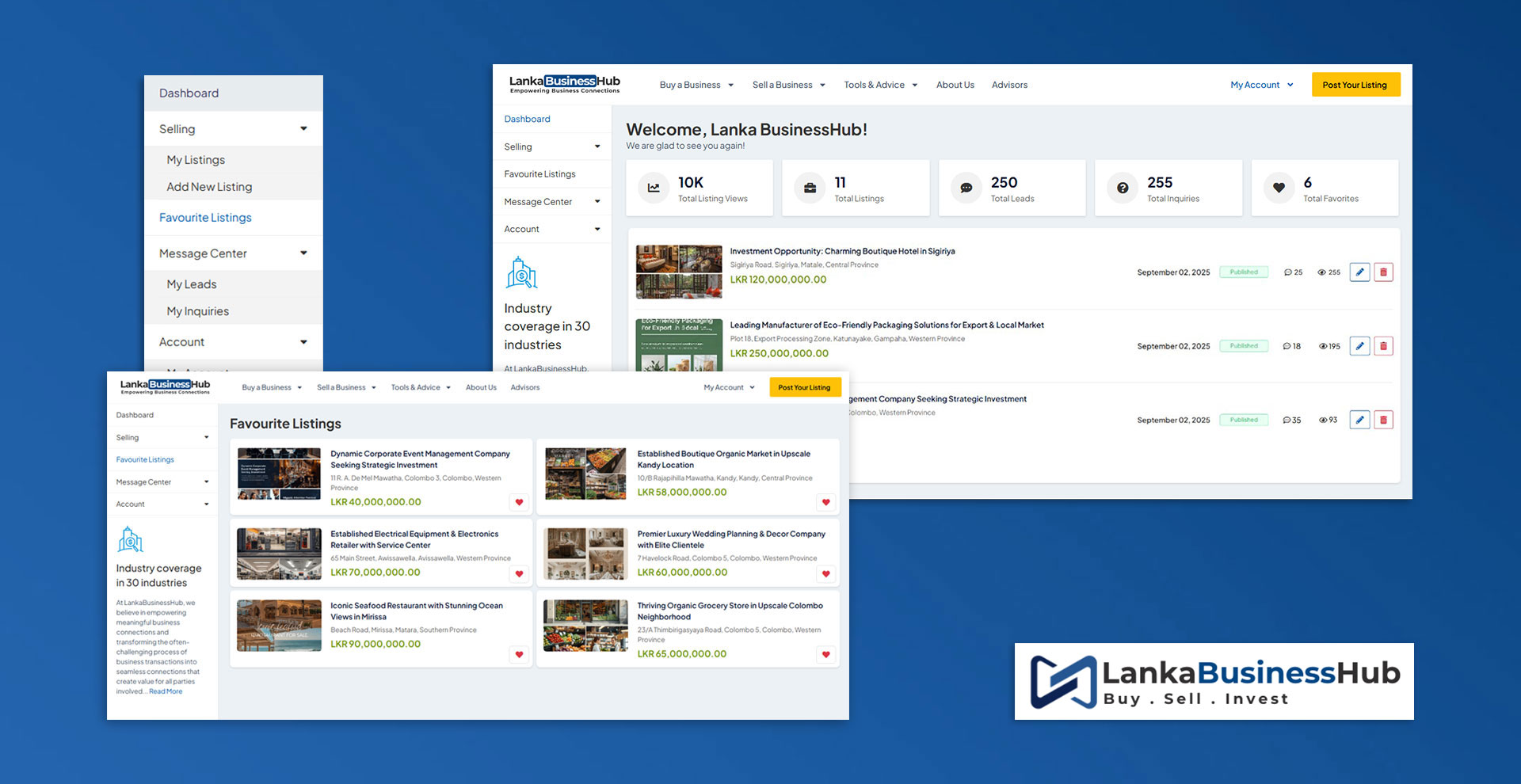
Now that you have set up your listing, please find below a step by step guide on how to access your Member Dashboard.
TUTORIAL – Get to know your Member Dashboard