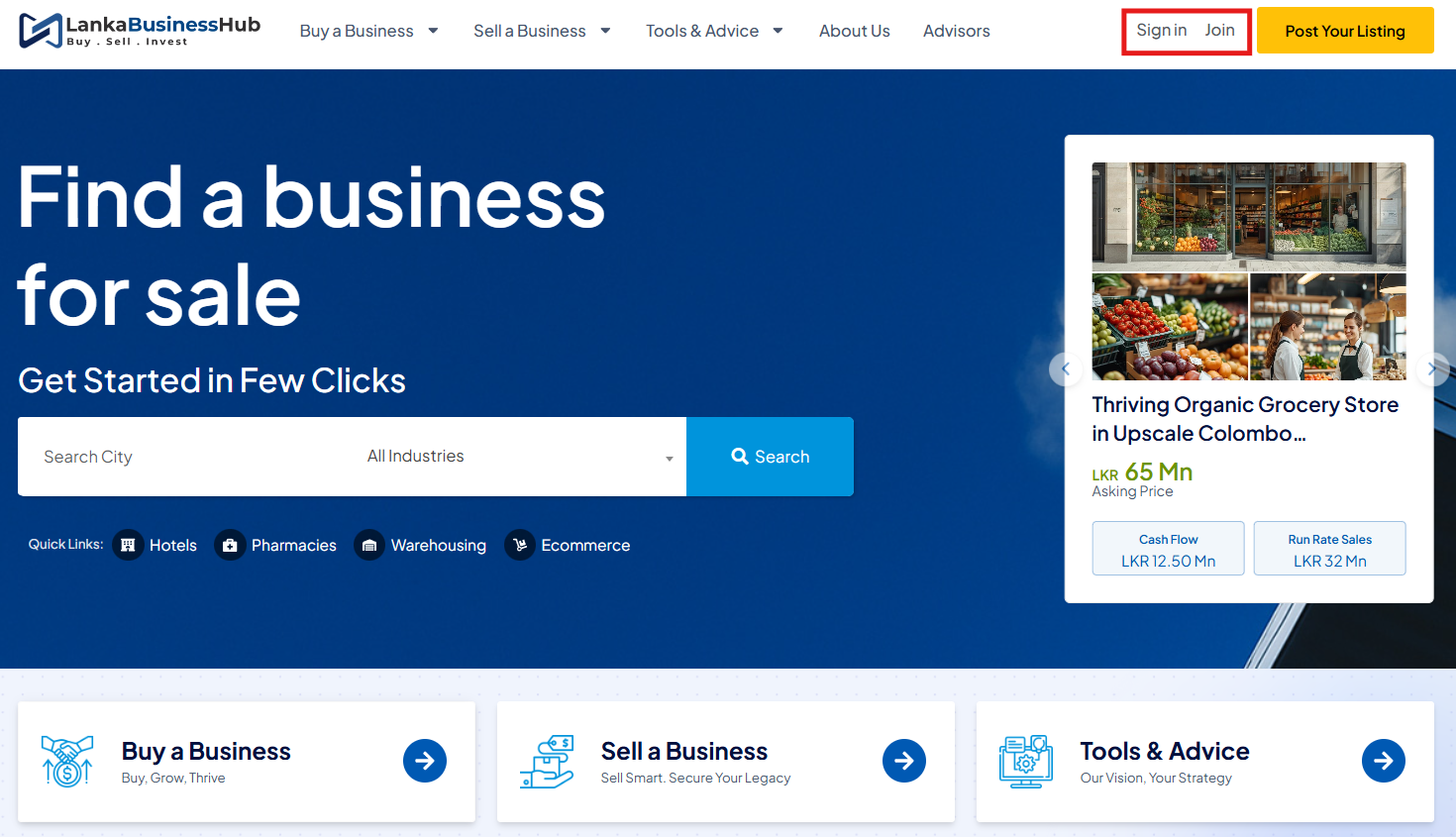
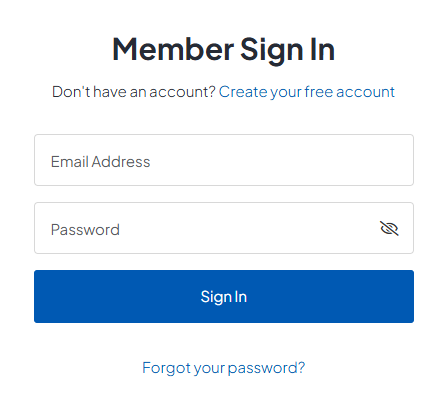
New Members: Click on the “Join” (top-right) link or “Create your free account” in the sign-in screen.
Existing Members: Click the “Sign In” (top-right corner) link.
Registration Process:
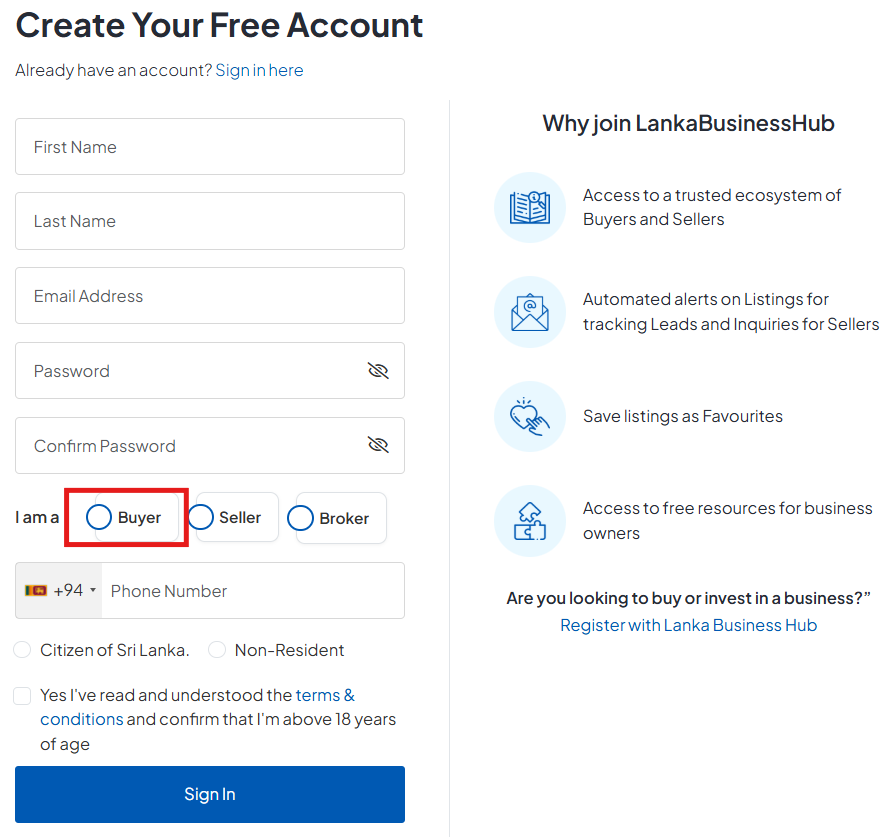
Fill in: First Name, Last Name, Email Address, Password, and Phone Number.
Select Role: Check “Buyer” (or multiple roles if applicable).
Select either “Citizen of Sri Lanka” or “Non-Resident” as applicable
Agree to Terms & Conditions and that you are above the age of 18 years..
Click “Sign In”.
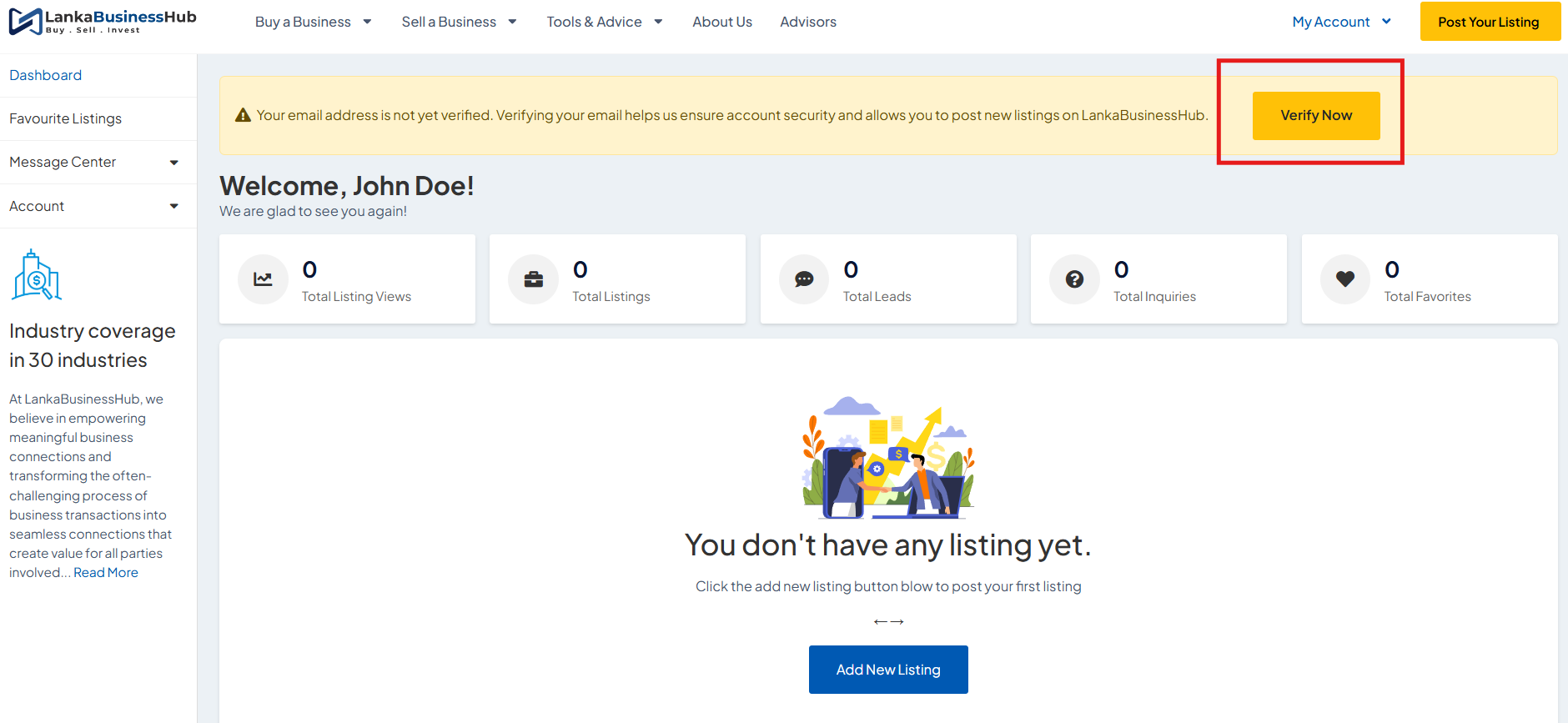
Verify Your Email address: Check your email inbox for a confirmation email with a verification number. Verify your account.
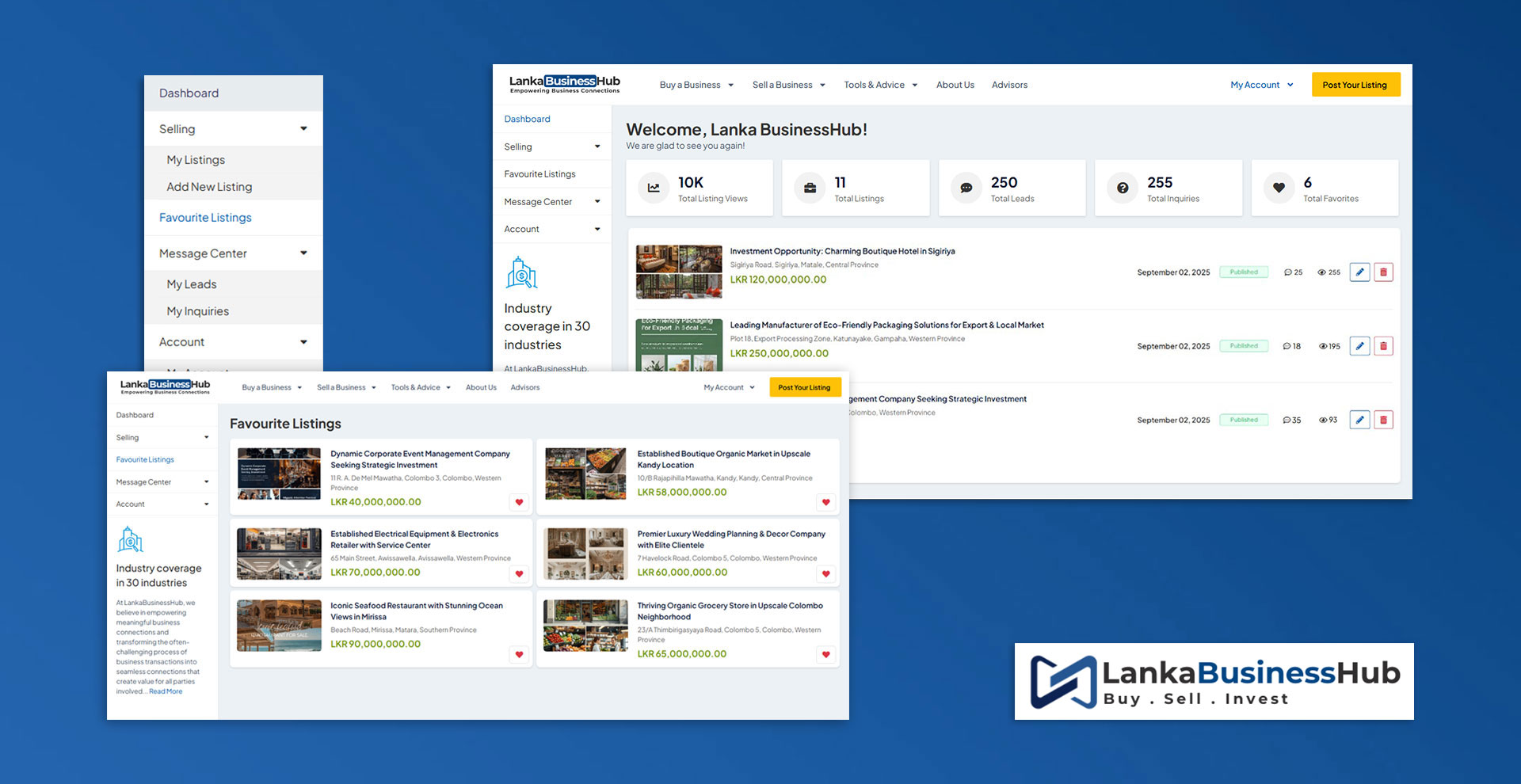
To get to know your “Dashboard” please refer to the learning material titled “Get to know your Member Dashboard” under “Tools & Advice” > “Learning Center
Step 2:
Search for a business for sale
Start “Searching for a Business”
After signing in, choose ONE of the following methods:
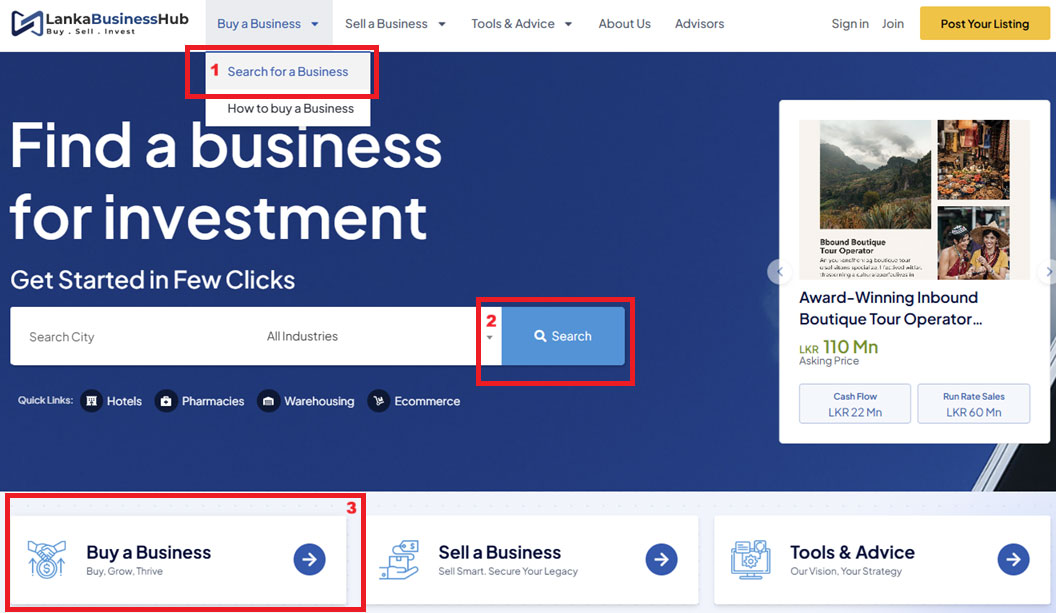
Click “Buy a Business” in the top menu → Select “Search for a Business”.
Select a “City” and any specific “Industry” you are interested in from the search dropdown fields situated within the header image section and click “Search”.
Click the “Buy a Business” button below the homepage header image section.
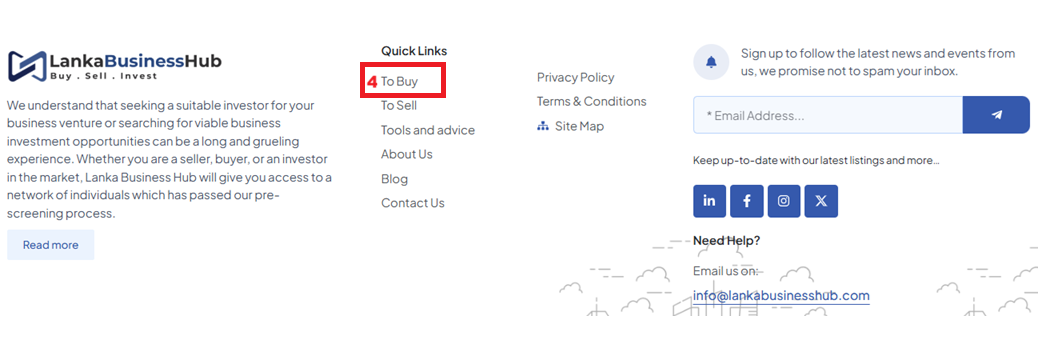
Scroll to the footer area and click “To Buy” under the “Quick Links” section.
Step 3:
“Search for Business Listings” Page
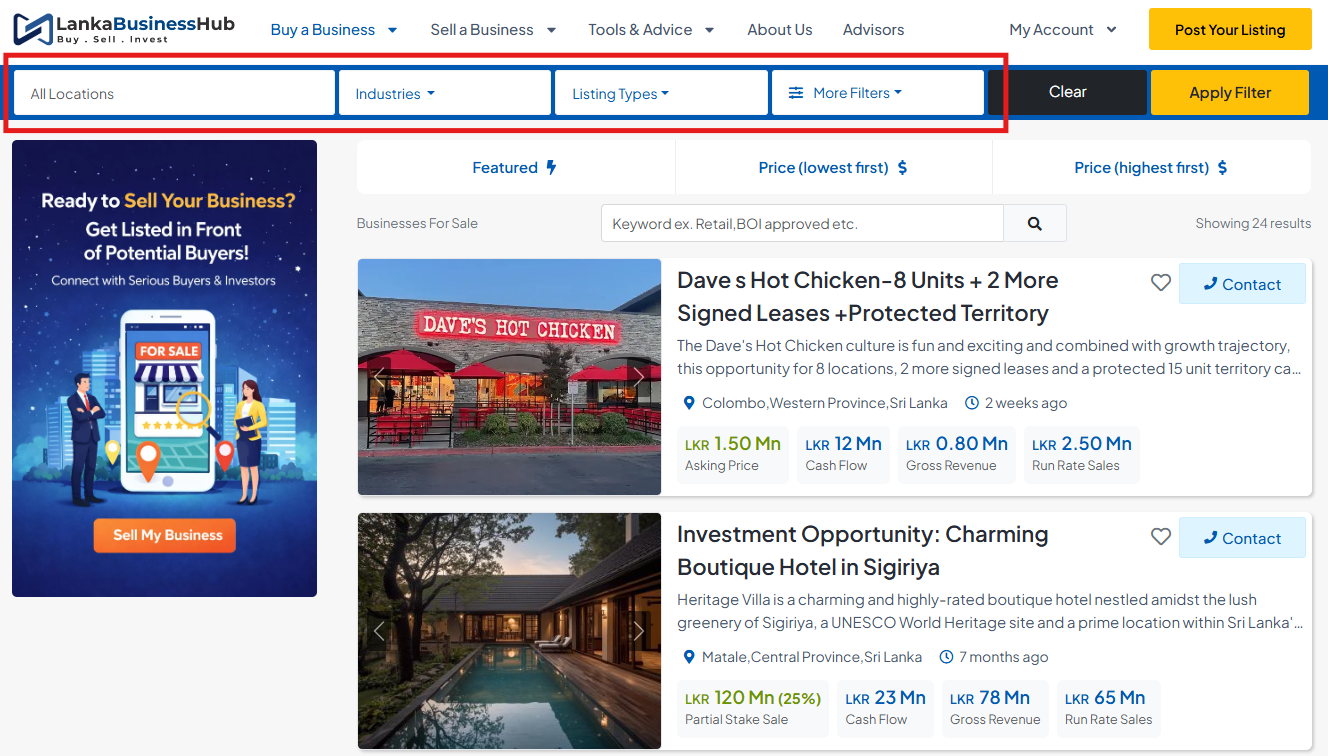
Section 1: Search Filter Criteria section
Search by Location: Select the desired “Location” from the dropdown field or select the default “All Locations” option to browse all listings.
Search by Industry: Select up to 4 desired “Industries” from the 30 industries listed.
Listing Type: Choose the listing “Type” from the dropdown field or leave the default option to browse all listing types.
Business for Sale – Full Sale of a Business
Investment Opportunity – Partial Stake Sale of a Business
Asset Sale – Business Asset Sale
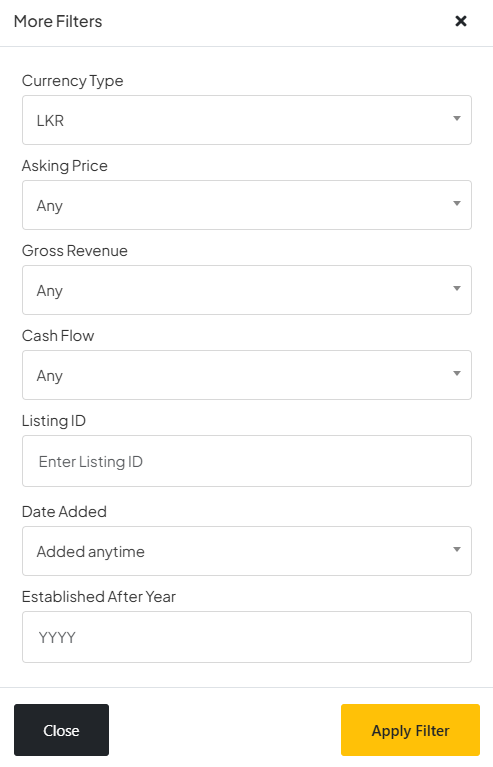
More Filters: Select desired filters based on your requirement.
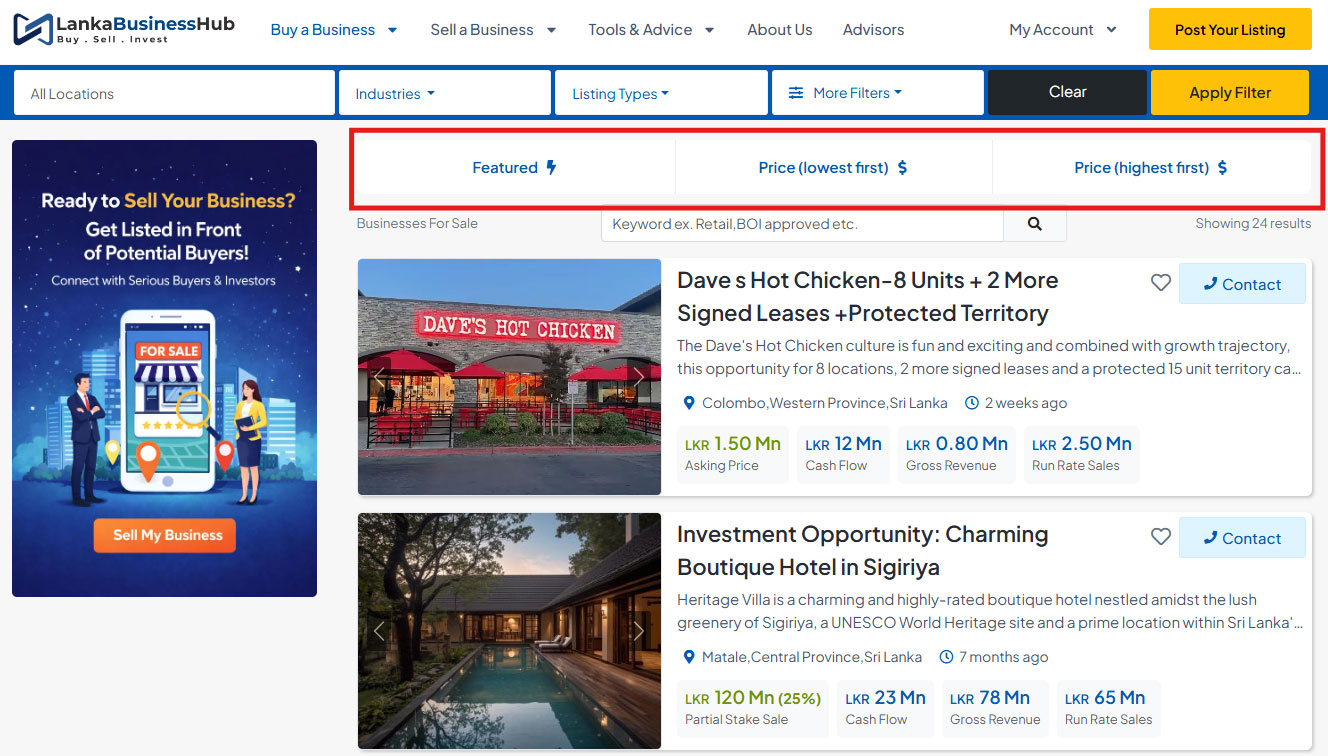
Section 2: Sort Criteria section
Sort by Featured Listings, Price (lowest to highest) or Price (highest to lowest).
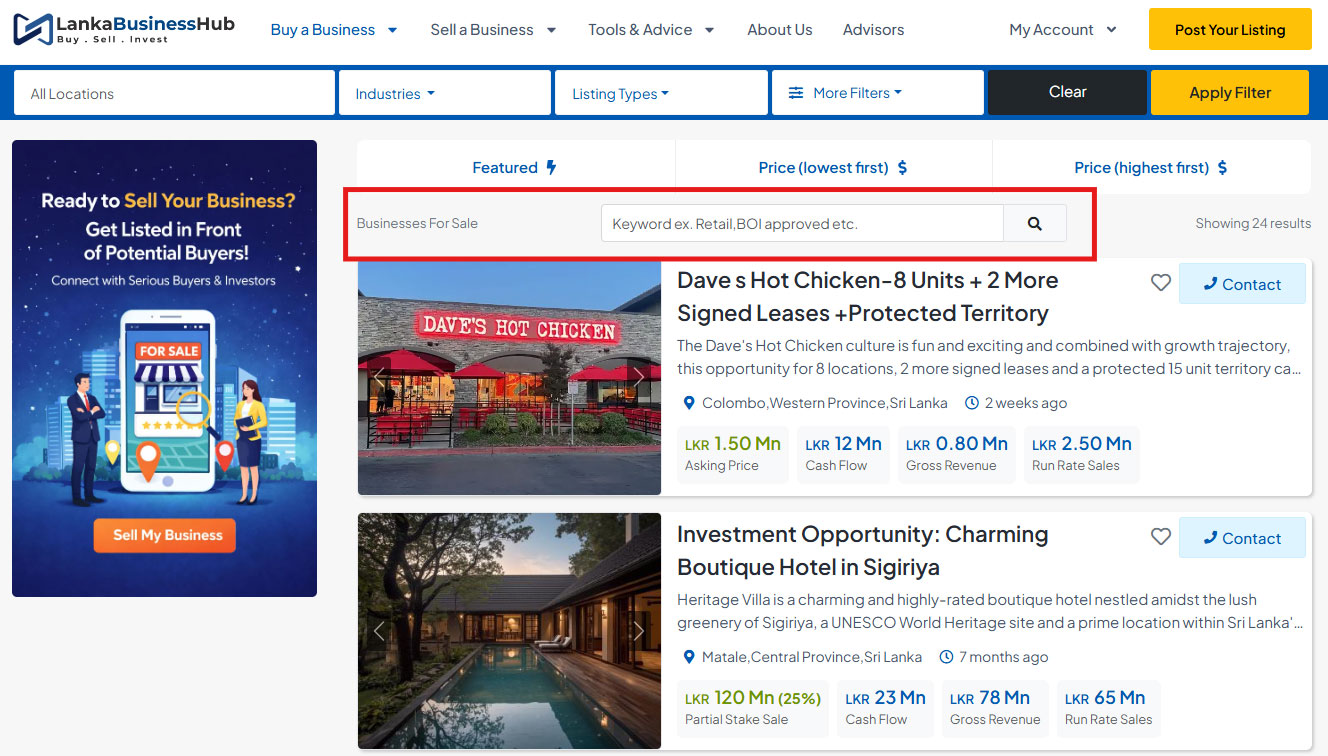
Section 3: Keyword Search Criteria Section
Search by keywords as illustrated
Key Tips
For support, contact LBH:
Phone: (+94) 777 710 799 / (+94) 777 797 123
Email: info@lankabusinesshub.com
Next Steps: Monitor your dashboard for updates on your inquiries
Now that you have set up your buyer profile, please find below a step by step guide on how to access your Member Dashboard.